Scripting API Overview
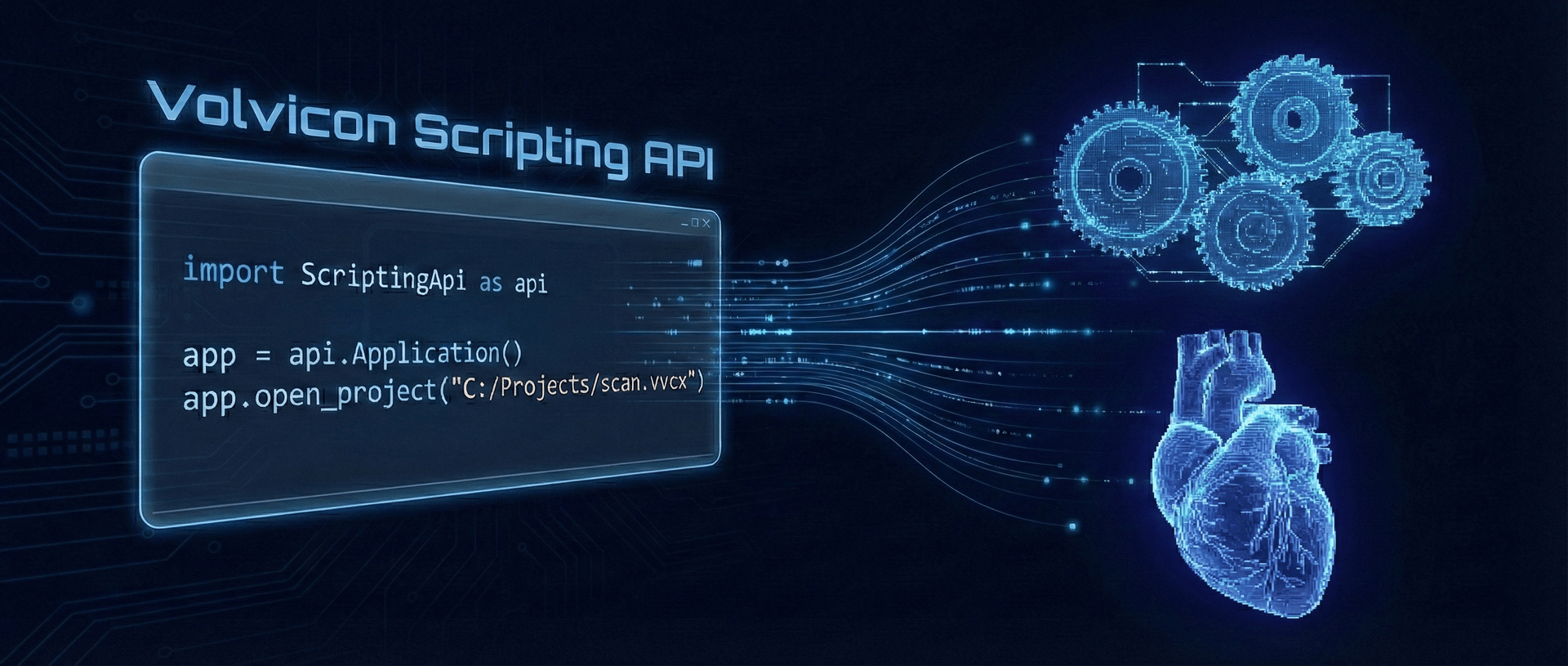
The Volvicon Scripting API provides programmatic access to all application functionality through Python, enabling automated workflows, batch processing, and integration with external tools.
New to the Scripting API? Start with the Python Scripting Fundamentals tutorial for a hands-on introduction.
Quick Start
import ScriptingApi as api

# Initialize the application
app = api.Application()

# Display version information
print(f"Volvicon Version: {app.get_version()}")

# Open a project
app.open_project("C:/Projects/my_project.vvcx")

# Get all volume names
volumes = app.get_all_volume_names()
print(f"Loaded volumes: {volumes}")
Volvicon's Python scripting includes NumPy, SciPy, Pillow, matplotlib, and pandas out-of-the-box. Start scripting immediately with no additional setup and see the Batch Processing & Automation tutorial for examples and templates.
Architecture
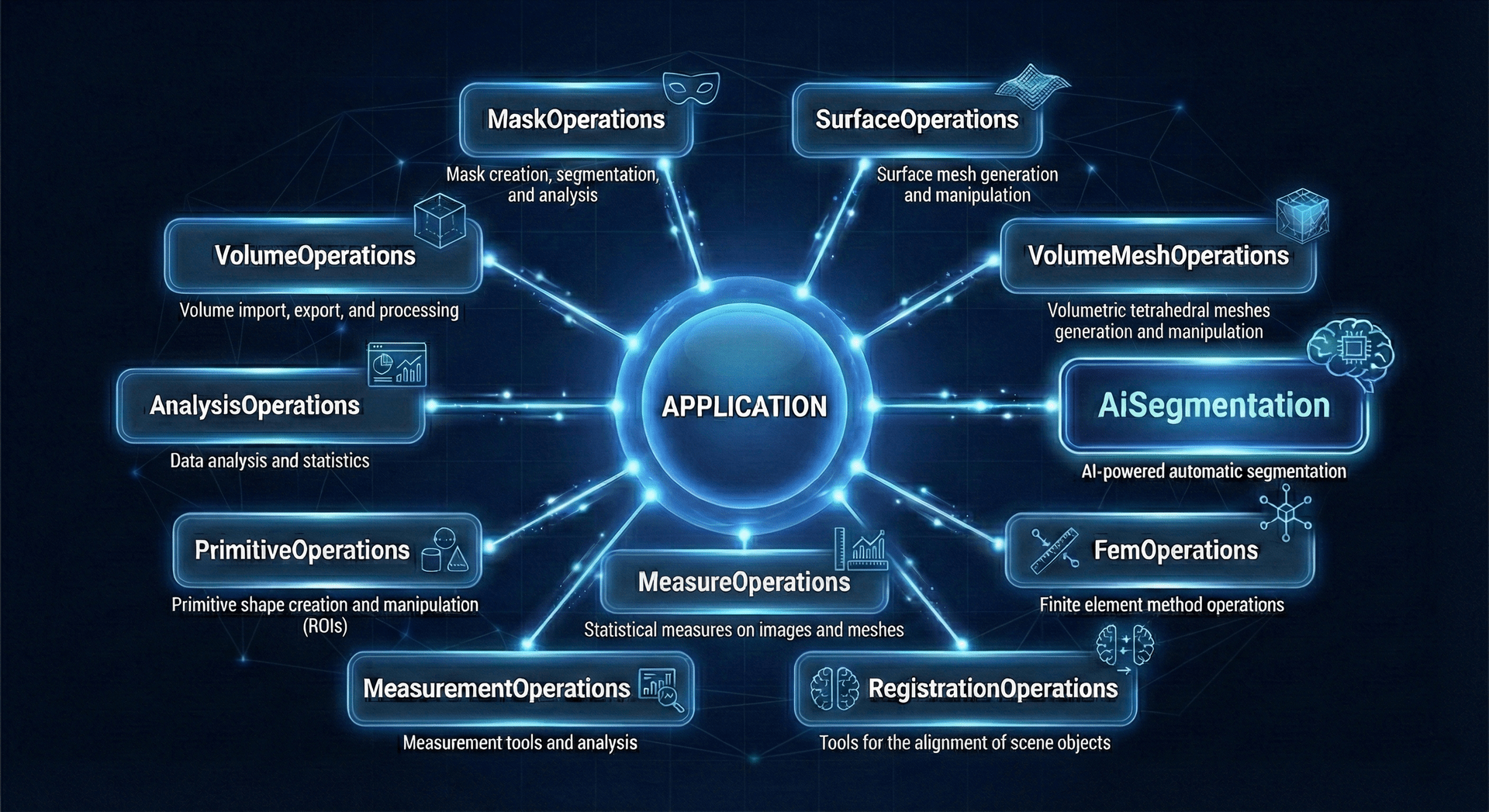
The API is organized around a central Application class that provides access to specialized operation modules:
Application
├── ViewOperations          # View layout, orientation, rendering, and camera controls
├── PreferencesOperations   # Application, rendering, view, and import preferences
├── VolumeOperations        # Volume import, export, and processing
├── MaskOperations          # Mask creation, segmentation, and analysis
├── SurfaceOperations       # Surface mesh generation and manipulation
├── VolumeMeshOperations    # Volumetric tetrahedral meshes generation and manipulation
├── FemOperations           # Finite element method operations
├── RegistrationOperations  # Tools for the alignment of scene objects
├── MeasureOperations       # Statistical measures on images and meshes
├── MeasurementOperations   # Measurement tools and analysis
├── PrimitiveOperations     # Primitive shape creation and manipulation (ROIs)
├── AnalysisOperations      # Data analysis and statistics
├── AiSegmentation          # AI-powered automatic segmentation
└── OperationLogOperations  # Read-only access to the recorded action history
API Categories
Core
Core application classes and entry points
| Class | Description |
|---|---|
Application | The root application class for the Scripting API. |
Operations
Domain-specific operation classes for working with different object types
| Class | Description |
|---|---|
AnalysisOperations | Provides tools for creating, running, and managing analysis objects. |
FemOperations | Provides tools for managing Finite Element Model (FEM) data on volume meshes. |
MaskOperations | Provides tools for creating, editing, and analyzing 3D mask objects. |
MeasurementOperations | Provides tools for creating, editing, and analyzing 3D measurement objects. |
MeasureOperations | Provides tools for statistical analysis and measurement operations on volume, mask, surface, and mesh objects. |
OperationLogOperations | Reads the recorded history of what happened in the application. |
PreferencesOperations | Provides scripting access to the application preferences. |
PrimitiveOperations | Provides tools for creating, editing, and managing 3D primitive objects (ROIs). |
RegistrationOperations | Provides global and landmark registration operations for aligning project objects. |
SurfaceOperations | Provides tools for creating, editing, and analyzing 3D surface objects. |
ViewOperations | Provides operations for application views, scene orientation, camera, layout, rendering representation, and visualization settings. |
VolumeMeshOperations | Provides tools for creating, editing, and analyzing 3D volume mesh objects. |
VolumeOperations | Provides tools for creating, editing, and analyzing 3D volume images. |
AI Segmentation
AI-powered segmentation using TotalSegmentator, nnU-Net, and MONAI
| Class | Description |
|---|---|
AiSegmentation | High-level interface for AI-powered image segmentation. |
AiSegmentationModelType | AI segmentation model families supported by the scripting API. |
TotalSegmentatorParams | Configuration parameters for TotalSegmentator AI model. |
NnUnetParams | Configuration parameters for nnU-Net AI model. |
MonaiParams | Configuration parameters for MONAI bundle AI model. |
Data Types
Data structures for volumes, masks, and images
| Class | Description |
|---|---|
Image2D | Represents a 2D image as raw byte data along with its dimensions and format. |
VolumeUint8 | Represents a 3D image where voxel data is stored as 8-bit unsigned integers (uint8), including its dimensions, physical origin, and voxel spacing. |
VolumeInt16 | Represents a 3D image where voxel data is stored as 16-bit signed integers (int16), including its dimensions, physical origin, and voxel spacing. |
VolumeUint16 | Represents a 3D image where voxel data is stored as 16-bit unsigned integers (uint16), including its dimensions, physical origin, and voxel spacing. |
VolumeFloat32 | Represents a 3D image where voxel data is stored as 32-bit floating-point numbers (float32), including its dimensions, physical origin, and voxel spacing. |
MaskUint8 | Represents a 3D mask image where voxel data is stored as 8-bit unsigned integers (uint8), including its dimensions, physical origin, and voxel spacing. |
MaskUint16 | Represents a 3D mask image where voxel data is stored as 16-bit unsigned integers (uint16), including its dimensions, physical origin, and voxel spacing. |
Enumerations
Enumeration types for API configuration
| Class | Description |
|---|---|
MsgBoxLevel | Message levels for the message box. |
Mask3dPreviewQuality | Quality levels for 3D mask previews. |
VoxelConnectivity | Voxel connectivity used when regions, islands or cavities are identified. |
SnapshotType | individual 2D slice views. |
MorphologicalOperationType | Defines morphological operation types for mask processing. |
BooleanOperation | Defines boolean operation types for combining two masks. |
InterpolationAxis | Defines interpolation axis for 3D mask interpolation. |
HollowShellMode | Defines shell modes for hollow mask operation. |
SurfaceDeterminationMethod | Method the Surface Determination tool uses to place the surface. |
SurfaceDeterminationStartingMethod | Global surface the advanced surface determination starts from. |
SurfaceEdgeCriterion | Edge position criterion of the advanced surface determination. |
HistogramThresholdMethod | Histogram threshold calculators of the surface determination. |
LogSource | Which recorded history a listing or an export names. |
LogExportFormat | Which file an export writes. |
LogPreset | The question a listing is asking, matching the presets of the Operation Log dock. |
HighDpiScaleFactorRoundingMode | Scale factor rounding modes for high-resolution displays. |
ApplicationFontSize | Application font size presets. |
UndoStorageLocation | Storage locations for undo history. |
ProjectFileCompressionLevel | Project save compression presets. |
ImageInterpolationMethod | Image interpolation methods used during resampling. |
Parameters
Configuration parameter and options snapshot classes for various operations
| Class | Description |
|---|---|
MaskLabelInfo | Represents information about a mask label. |
MaskToSurfaceParams | Parameters used when converting masks to surface objects (and generating mask previews). |
ThresholdParams | Parameters for range-based threshold segmentation. |
RegionGrowSegmentationParams | Parameters for region growing segmentation. |
SurfaceDeterminationParams | Parameters of the Surface Determination tool. |
SurfaceDeterminationEstimate | Result of estimate_surface_determination. |
LogFilter | How a listing is narrowed, matching the controls of the Operation Log dock. |
LogEntry | One listed action, which is one row of the Operation Log. |
LogListing | What a caller holds between the pages of one listing. |
LogStatus | What the recorded history can say about history it no longer holds. |
UserInterfaceOptions | Snapshot of the User Interface preference values. |
GeneralOptions | Snapshot of the General preference values. |
RenderingOptions | Snapshot of the Rendering preference values. |
View3dOptions | Snapshot of the 3D View preference values. |
View2dOptions | Snapshot of the 2D View preference values. |
CadFileImportOptions | CAD import preference values. |
ImportOptions | Snapshot of the Import preference values. |
Common Workflows
Basic Segmentation Workflow
import ScriptingApi as api

app = api.Application()

# Open project with volume data
app.open_project("C:/Data/scan.vvcx")

# Get mask operations
mask_operations = app.get_mask_operations()

# Perform threshold segmentation
threshold_params = api.ThresholdParams()
threshold_params.lower_threshold = 100
threshold_params.upper_threshold = 500
threshold_params.create_new_mask = True
threshold_params.mask_name = "Bone"

mask_name = mask_operations.threshold("CT_Volume", threshold_params)
print(f"Created mask: {mask_name}")

# Save the project
app.save_project()
AI Segmentation Workflow
import ScriptingApi as api

app = api.Application()
app.open_project("C:/Data/ct_scan.vvcx")

# Get AI segmentation module
ai_segmentation = app.get_ai_segmentation()
ai_segmentation.set_model_type(api.AiSegmentationModelType.TotalSegmentator)

# Check if TotalSegmentator is installed
if not ai_segmentation.get_installation_status():
    ai_segmentation.install_model()

# Configure and run segmentation
total_segmentator_params = api.TotalSegmentatorParams()
total_segmentator_params.task = "total"
total_segmentator_params.device = "gpu"  # Use GPU if available

# Run segmentation on volumes
volumes = app.get_all_volume_names()
masks = ai_segmentation.run_total_segmentator(volumes, total_segmentator_params)
print(f"Created {len(masks)} segmentation masks")
Common Operations
Here are examples of common operations using various API modules:
# Import the Scripting API
import ScriptingApi as api

# Initialize the application
app = api.Application()

# Get various operation interfaces
view_operations = app.get_view_operations()

preferences_operations = app.get_preferences_operations()

volume_operations = app.get_volume_operations()

mask_operations = app.get_mask_operations()

surface_operations = app.get_surface_operations()

volume_mesh_operations = app.get_volume_mesh_operations()

fem_operations = app.get_fem_operations()

registration_operations = app.get_registration_operations()

measurement_operations = app.get_measurement_operations()

primitive_operations = app.get_primitive_operations()

analysis_operations = app.get_analysis_operations()

measure_operations = app.get_measure_operations()

# Get AI segmentation interface
ai_segmentation = app.get_ai_segmentation()

# Example: Set render properties for different object types
volume_render_properties_operations = volume_operations.get_render_properties_operations()
volume_render_properties_operations.set_3d_slice_planes_visibility(['volume_obj'], True)

mask_render_properties_operations = mask_operations.get_render_properties_operations()
mask_render_properties_operations.set_opacity(['mask_name'], 0.5)

surface_render_properties_operations = surface_operations.get_render_properties_operations()
surface_render_properties_operations.set_representation(app.get_all_surface_names(), api.SurfaceRepresentation.SolidEdges)

volume_mesh_render_properties_operations = volume_mesh_operations.get_render_properties_operations()
volume_mesh_render_properties_operations.set_representation(app.get_all_volume_mesh_names(), api.VolumeMeshRepresentation.SolidEdges)

# Example: Compute volume statistics
volume_statistics_params = api.VolumeStatisticsParams()
volume_statistics_params.histogram_bins = 128
volume_stats = measure_operations.compute_volume_statistics('volume_obj', volume_statistics_params)
Error Handling
The API uses return values to indicate success or failure. Always check return values for operations that can fail:
import ScriptingApi as api

app = api.Application()

# Check if project opened successfully
if not app.open_project("C:/Data/project.vvcx"):
    app.show_message_box(
        "Failed to open project",
        "Error",
        api.MsgBoxLevel.Error
    )
else:
    # Proceed with operations
    pass
Best Practices
- Use batch operations when processing multiple objects
- Leverage GPU acceleration for AI segmentation when available
- Close projects when done to free memory
- Always check return values for operations that can fail
- Use descriptive names for masks, surfaces, and other objects
- Save projects regularly to preserve your work
- Use appropriate data types (uint8, uint16, float32) based on your data
- Leverage AI segmentation for complex anatomical structures
Next Steps
- Explore the Application class documentation
- Learn about MaskOperations for segmentation
- See AI Segmentation for automated workflows
- Check out the Python Scripting Fundamentals tutorial for practical examples